イベントポスター
短い見出しと主役で企画のテーマを伝えます。
作成画面を開くNano Banana 2.1 · 実際の生成例
ポスターに文字を入れる、構図を細かく指定する、同じ商品や人物の場面を変える。実際の生成結果を見て、用途に合う作り方を選べます。
テキストから生成・参照画像1枚の編集 · 1K / 2K / 4K · 生成前にクレジットを表示
何を作りますか?
物の数、左右の配置、余白、光をまとめて指定できます。商品配置や条件のあるレイアウトに便利です。下の3つの物体の作例で指示を確認できます。
短い見出し、言語、ポスター内の位置を指定できます。イベント画像や表紙の下案に向いています。公開前に文字を一つずつ確認してください。
同じ商品や人物を参考に背景、服装、照明を変えてみます。当スタジオは1回につき参照画像1枚に対応。形、色、顔の細部を確認してください。
画像は当サイトに接続したNano Banana 2.1で実際に生成しました。個別の作例であり、同じ結果を保証するものではありません。参照商品と人物もAI制作素材です。画像をクリックすると元のサイズを確認できます。「このプロンプトを試す」はモデル、比率、解像度、参照画像を設定するだけで、自動生成やクレジット消費は行いません。
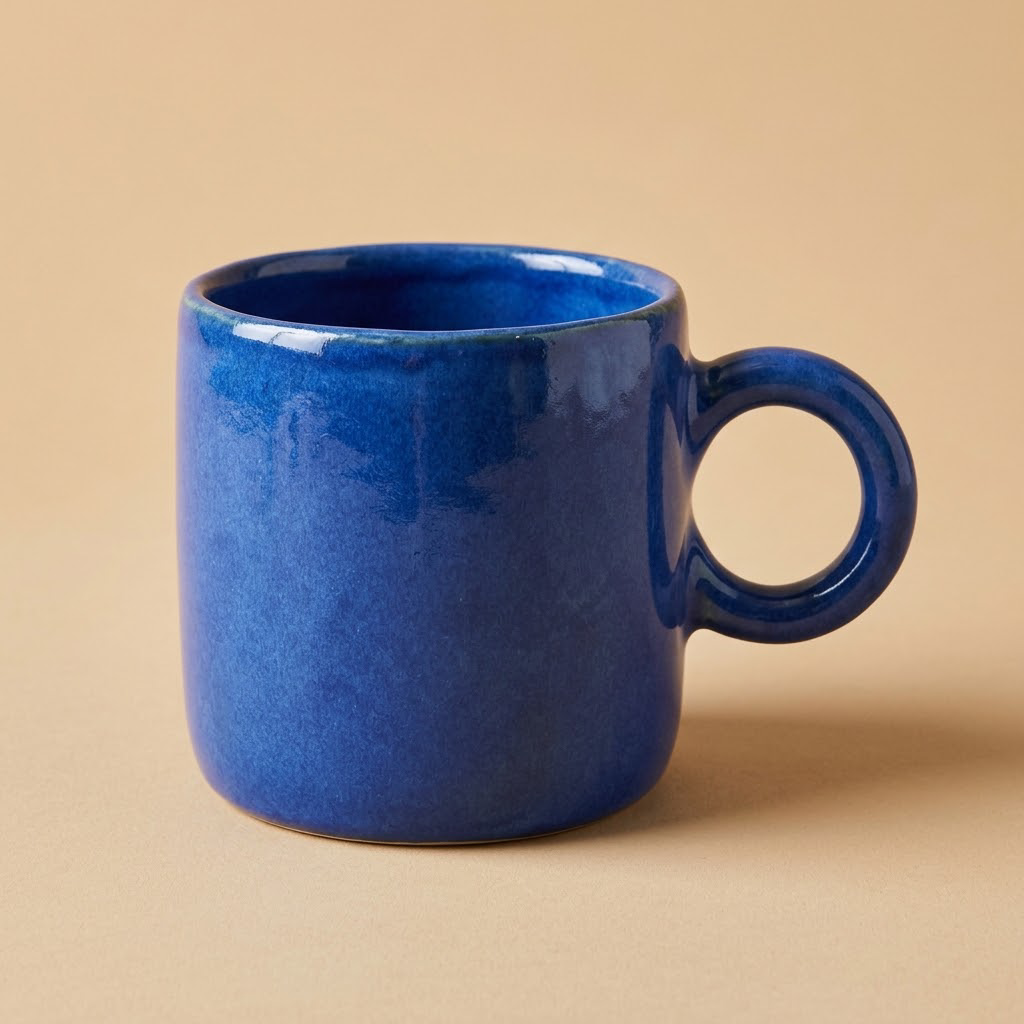
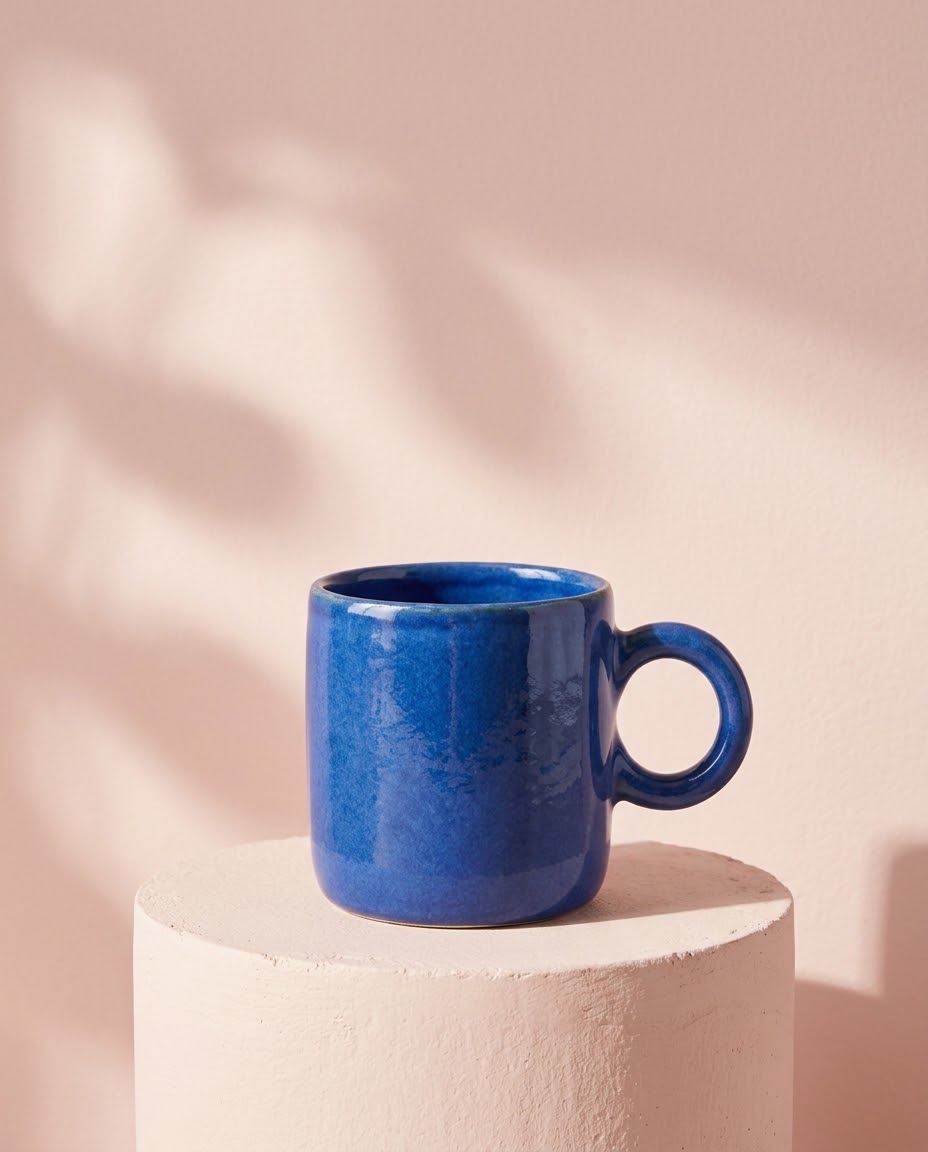
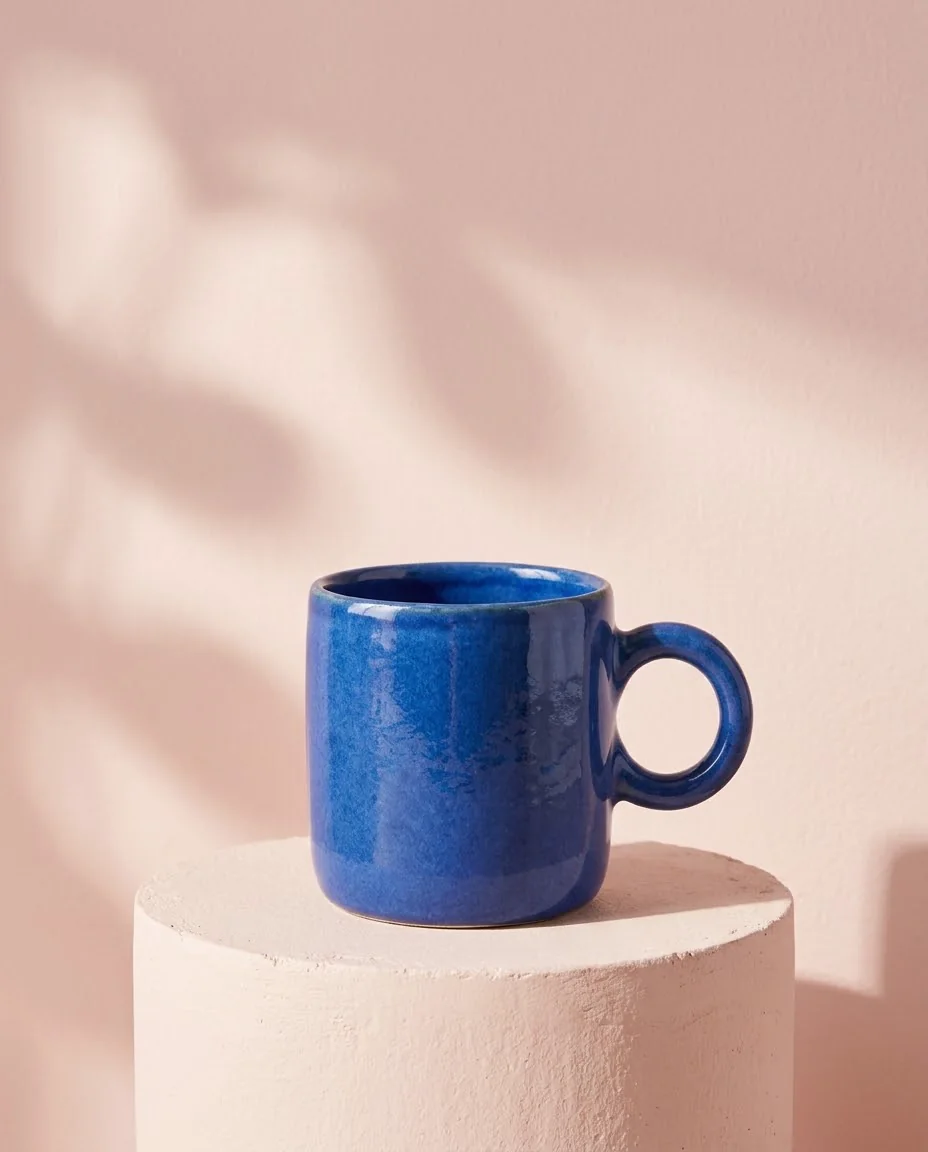
商品ページ · キャンペーン
同じ青いマグカップを参考に、ピンクの台、柔らかい横光、上部の余白を指定し、新しい広告シーンを作ります。
胴体、縁、取っ手、釉薬の色を参照画像と比べてください。企画の試作に向き、重要な商品細部は確認が必要です。
Use the reference product photo. Keep the same cobalt blue ceramic mug, its cylindrical body, handmade rim, thick round handle on the right, glaze color and camera angle. Change the setting into a polished editorial product campaign: a pale blush-pink plaster pedestal in front of a soft pink background, warm side lighting, a realistic soft cast shadow, a few restrained abstract soft-light shapes on the BACKGROUND only. Keep the mug fully visible, centered low in the composition with clean empty space above it. No added words, no logo, no extra mug, no changes to the mug's design. Photorealistic advertising photograph, portrait 4:5.
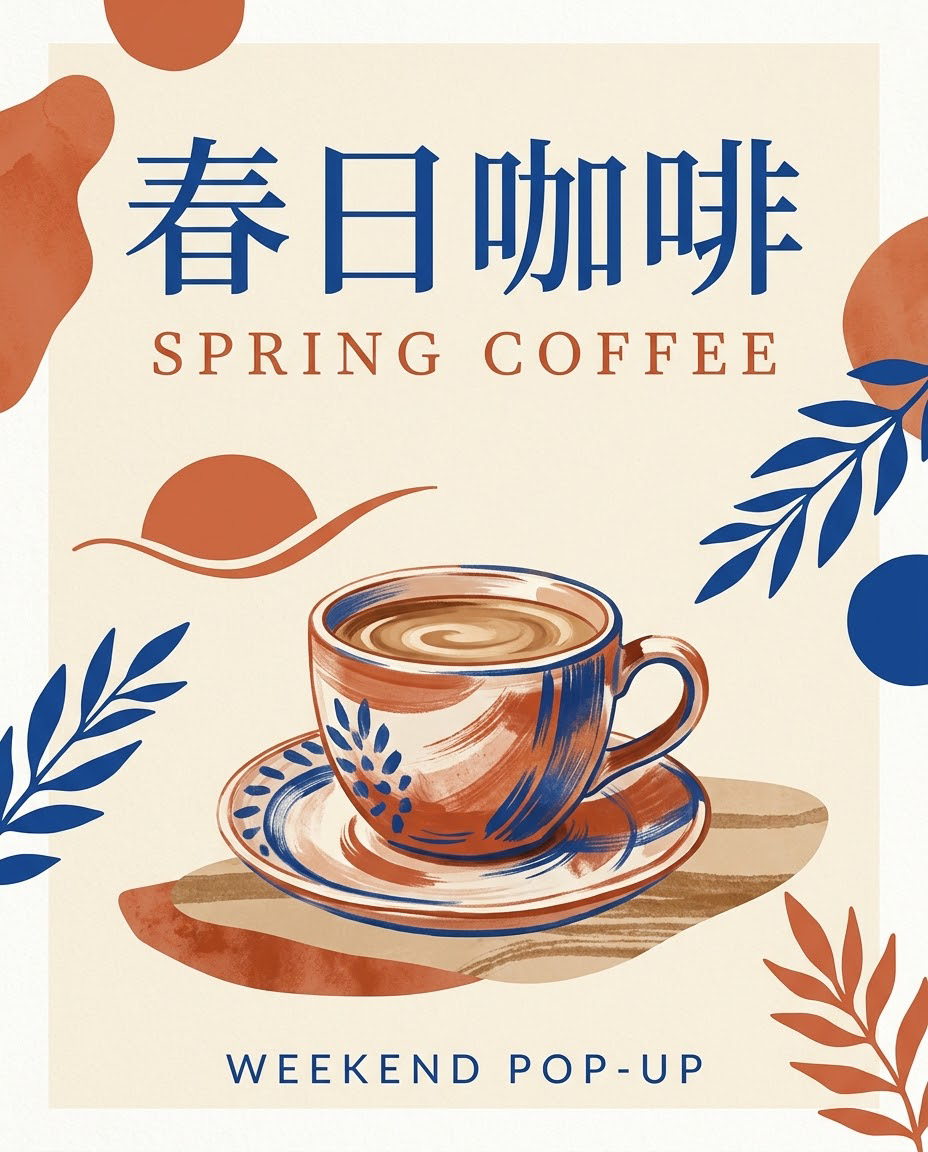
イベントポスター · SNSカバー
「春日咖啡」「SPRING COFFEE」「WEEKEND POP-UP」に加え、文字の優先順位、色、中央のイラストを指定します。
短い文言の作例です。長文、固有名詞、小さな文字は詳しく確認し、最終的な組版の校正も行ってください。
Design a finished modern coffee pop-up event poster in portrait 4:5. Warm cream background, terracotta and cobalt blue graphic accents, a beautifully drawn ceramic coffee cup in the lower center, refined editorial typography and plenty of breathing room. Render exactly these three pieces of text, clearly and legibly: large Chinese headline at the top: 春日咖啡; English subtitle immediately below: SPRING COFFEE; smaller footer at the bottom: WEEKEND POP-UP. All three lines must be correctly spelled with no extra letters or extra text. Elegant print-poster layout, consistent margins, strong visual hierarchy.
人物シリーズ · 写真企画
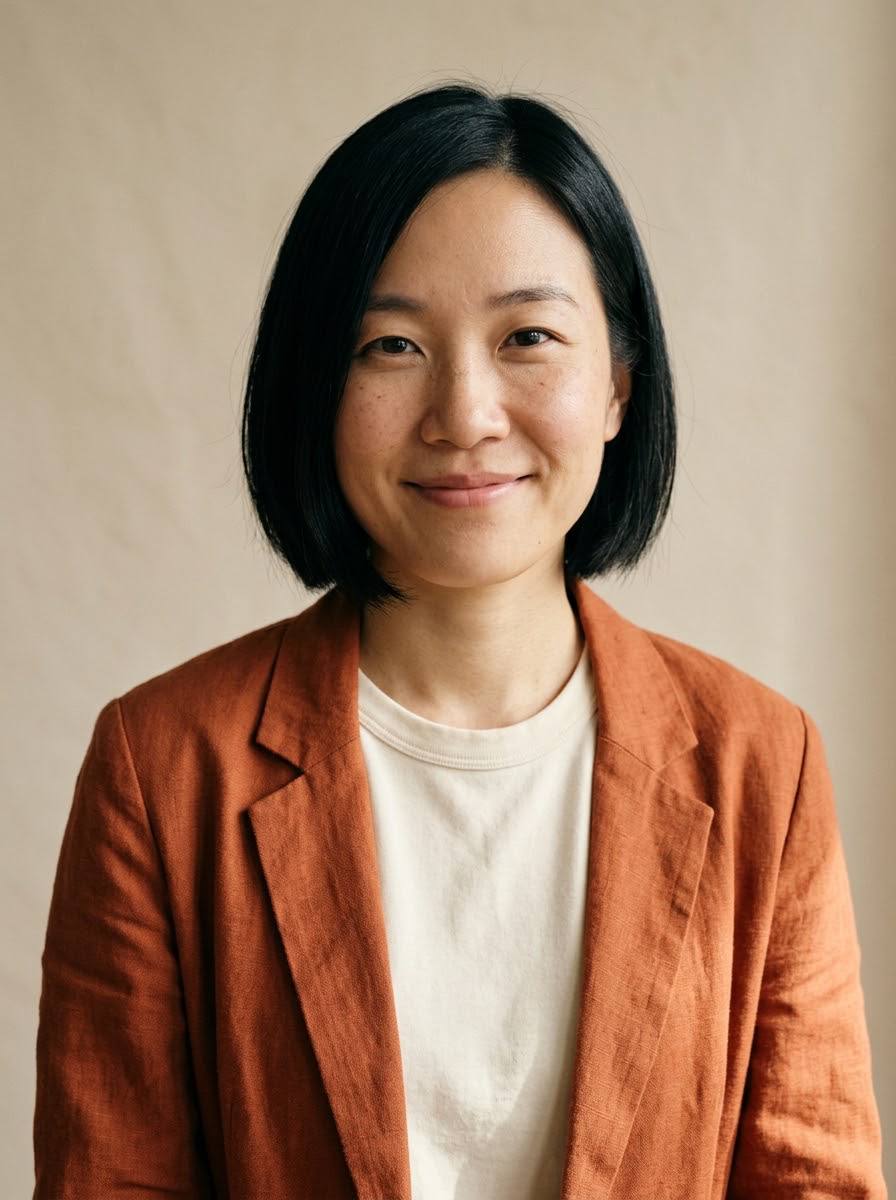
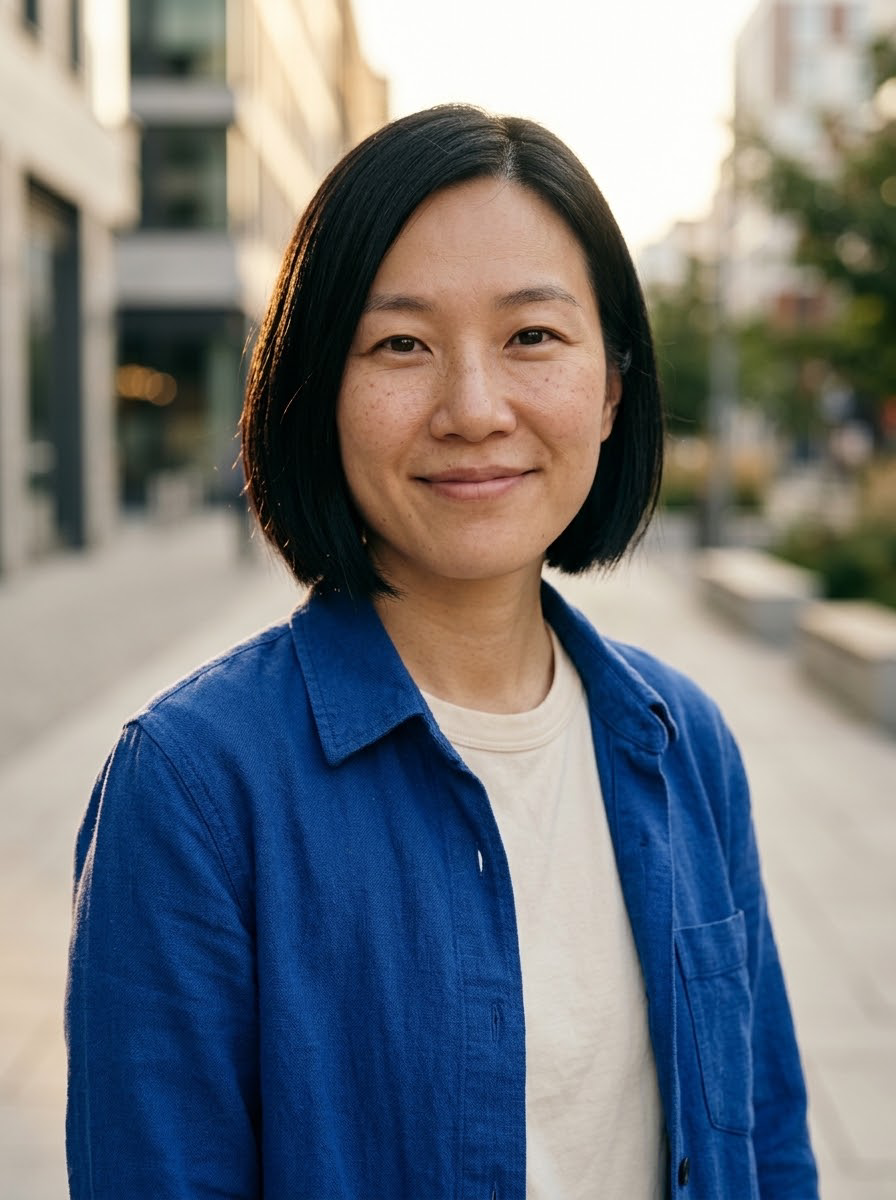
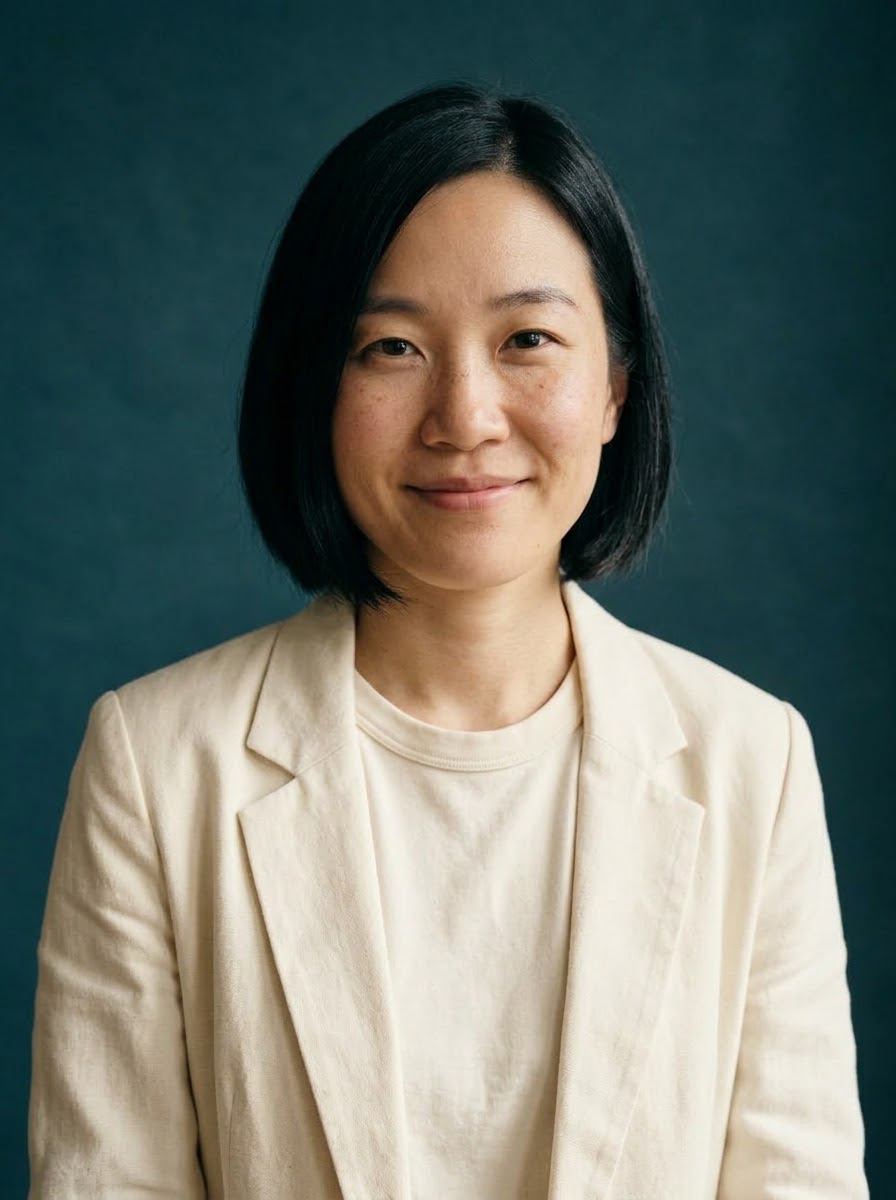
同じ架空人物の写真を参考に、夕方の街と深い青緑のスタジオを試します。服と光を変え、主な顔立ちと髪型を残すよう指定します。
各結果は同じ参照画像から個別に生成しています。似方や細部は変わる場合があります。
Use the uploaded portrait as the identity reference. Keep the same adult woman's facial features, short black bob hairstyle, side part, brown eyes, freckles and natural smile. Put her outdoors on a quiet modern city street at golden hour, wearing a cobalt-blue overshirt over a cream shirt instead of the orange jacket. Chest-up editorial portrait, natural candid pose, softly blurred architectural background, realistic warm rim light and skin texture. One person only. No words, no brand logos, no smoothing or exaggerated beauty retouching. Portrait 3:4.
スタジオのシーン
Use the uploaded portrait as the identity reference. Keep the same adult woman's facial features, short black bob, side part, brown eyes, freckles and recognizable expression. Change her clothing to a simple ivory blazer over a neutral shirt. Place her against a deep teal studio backdrop with a soft side light and a subtle edge light. Chest-up, relaxed confident expression, polished but natural editorial photography, visible natural skin texture. One person only, no words, no logos, no drastic facial reshaping. Portrait 3:4.
プレゼン画像 · 条件付き構図
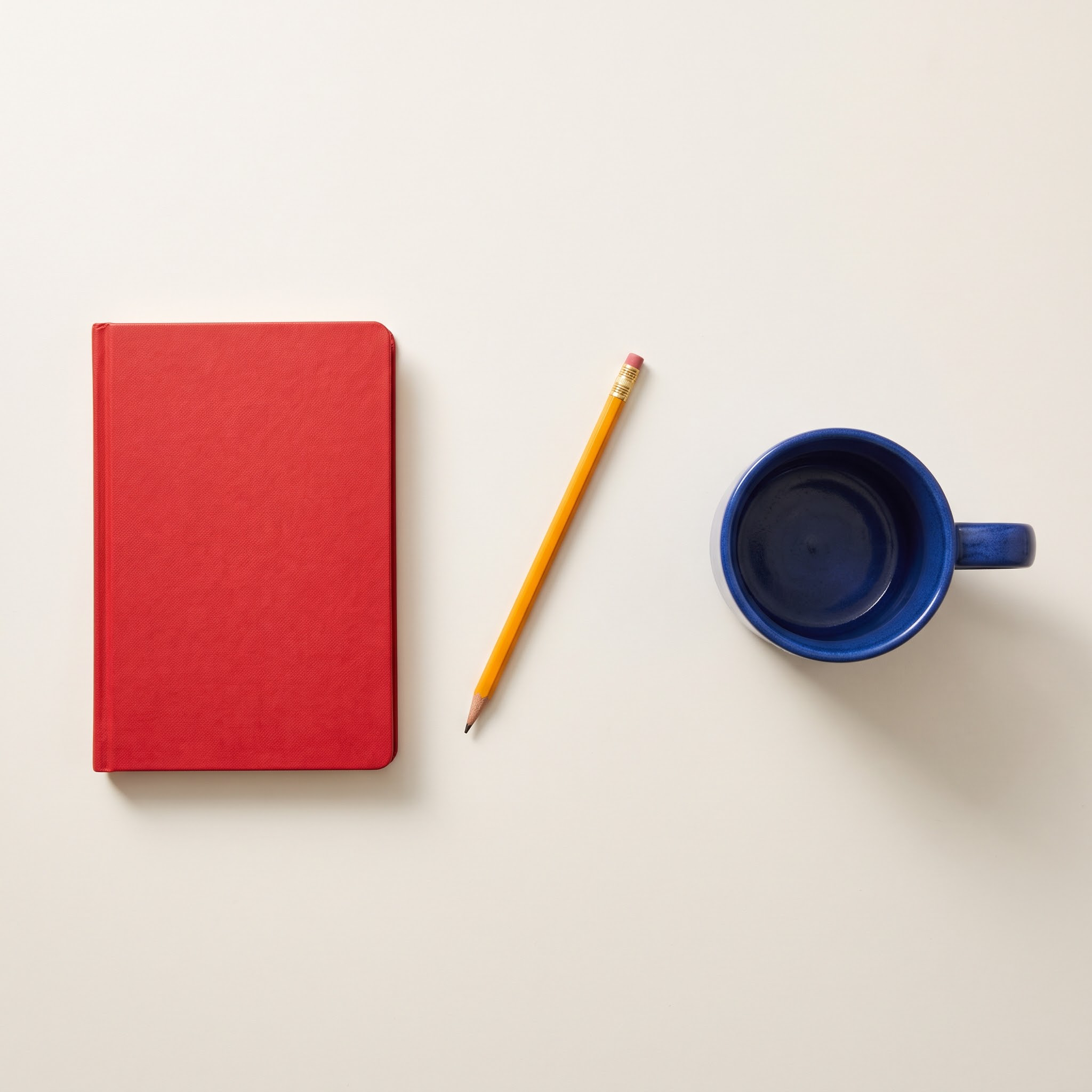
左に赤いノート、中央に斜めの黄色い鉛筆、右に青いカップの計3点だけを指定。重ねず均等に間隔を空けます。
この作例は2Kです。指示が明確だと確認しやすくなりますが、物の数や位置関係が誤る場合もあります。
An overhead flat-lay photograph on a plain warm off-white desk, square composition. Exactly THREE separate objects, with no other objects: one closed red notebook placed vertically in the LEFT third; one single yellow pencil placed diagonally in the CENTER, running from lower-left to upper-right; one cobalt blue ceramic coffee mug in the RIGHT third with its handle pointing right. No overlap between the three objects. Equal generous spacing. Soft morning light from upper-left, gentle realistic shadows, sharp paper, wood and ceramic textures. No lettering, no logos, no hands, no plants. Keep the whole arrangement centered with equal empty margins.
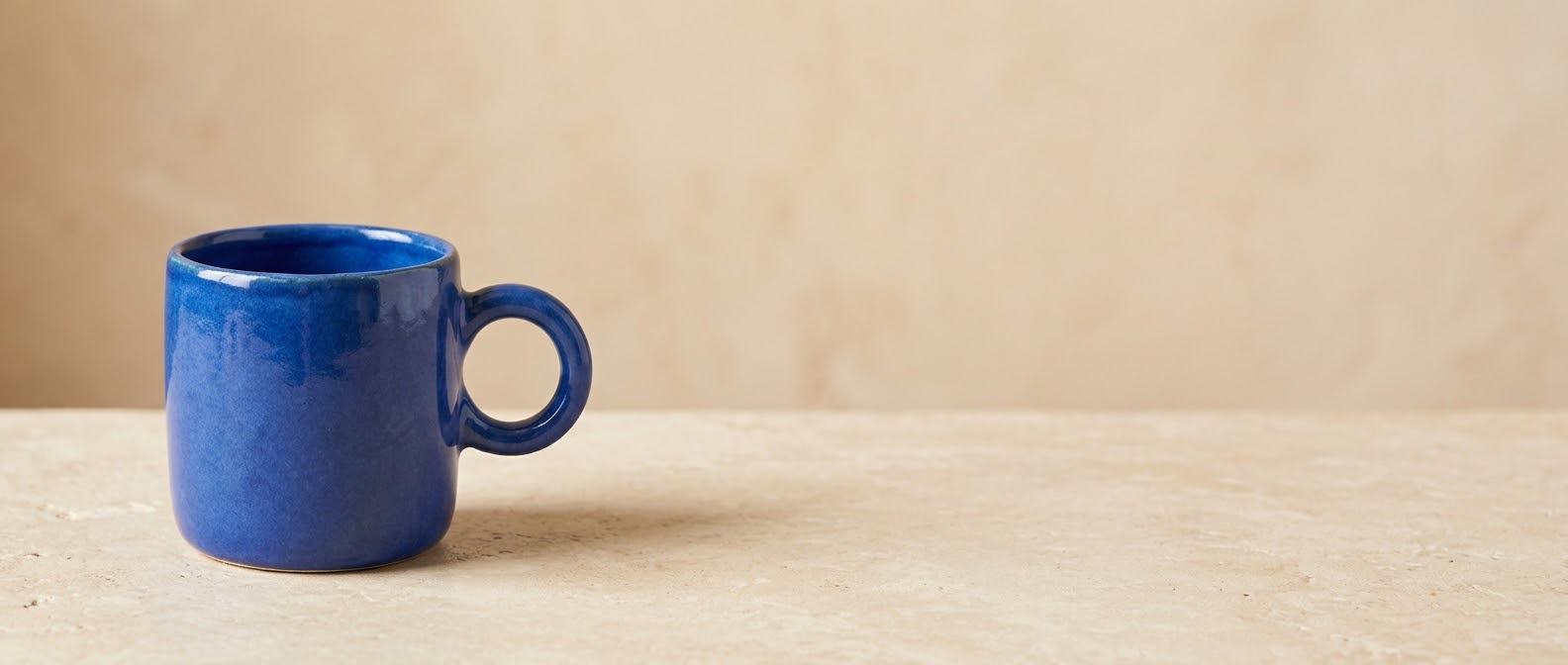
サイトのトップ · 横長広告
商品画像から21:9で生成。カップを左側4分の1に置き、右側の大部分を空けて後から見出しやボタンを追加します。
構図を示す1Kの作例です。大きい元画像が必要なら2Kや4Kを選べますが、解像度だけで細部は直りません。
Create an ultrawide 21:9 website hero banner using the reference photo of the cobalt blue ceramic mug. Preserve the mug's blue glaze, cylindrical shape, thick round handle on the right and three-quarter camera angle. Put the single mug in the LEFT quarter of the frame, fully visible, on a warm pale stone surface. The RIGHT two-thirds must be clean, empty, softly lit warm beige space suitable for adding a headline later. Refined premium product photography, natural window light and believable shadow, no text, no logos, no extra objects, no duplicate mug, no decorative clutter. The mug is the only product.
Step 01
被写体、位置、画像の用途を具体的に書きます。
Step 02
スタイルと比率を選び、小さな出力で構図を確認します。
Step 03
文字を一字ずつ読み、細部を拡大してから保存します。
きれいな画像ではなく、物と位置を具体的に指定します。
短い見出しを引用符で囲み、周囲の余白を指定します。
一度に一つの条件を変え、光、色、構図の違いを比べます。
送信前に作成画面で現在の設定と必要クレジットを確認してください。
| 設定 | 利用可能な選択肢 | 選び方 |
|---|---|---|
| 入力モード | 文章から画像 / 参照画像一枚 | 送信前に作成画面で現在の設定と必要クレジットを確認してください。 |
| 出力サイズ | 1K / 2K / 4K | 送信前に作成画面で現在の設定と必要クレジットを確認してください。 |
| 縦横比 | auto / 1:1 / 16:9 / 9:16 / 4:3 / 3:4 / 3:2 / 2:3 / 4:5 / 5:4 / 21:9 / 1:4 / 4:1 / 1:8 / 8:1 | 送信前に作成画面で現在の設定と必要クレジットを確認してください。 |
| 文章の上限 | 4000 文字 | 送信前に作成画面で現在の設定と必要クレジットを確認してください。 |
作成画面で比率と利用できる出力を選び、実際の結果を確認します。 モデル対応の比率のみ選んでください。比率変更で切り取りや再生成が起こる場合があります。
| 比率 | 用途 | 操作のコツ |
|---|---|---|
| 1:1 | 商品投稿やコンパクトなSNS画像 | 主役を中央に置き、周りに適切な余白を残します。 |
| 2:3 / 3:4 / 9:16 | 肖像、縦ポスター、スマホの投稿 | 頭上の空間と文字位置を計画し、大切な部分の欠けを避けます。 |
| 3:2 / 16:9 | サイトのカバー、コンセプト画、横向き動画 | 左右に余白を取り、小さく見ても主役が分かるようにします。 |
はい。画像スタジオで写真を追加し、変更点と維持したい部分を指定します。生成による編集なので、元のピクセルが完全に残るとは考えず、重要な細部を確認してください。
FrameFlowLabでは1K・2K・4Kを選べます。実際の幅と高さは選択した画面比率にも左右されます。
はい。上の料金欄と生成ボタンに必要クレジットが表示されます。テキスト生成と参照画像の編集は同じ解像度別料金です。
指示は先に準備できますが、生成時にはログインが必要です。新規ユーザーの特典は登録設定に従い、再ログインで繰り返し付与されません。
失敗状態が表示され、使用クレジットは自動で返還されます。エラー内容を確認し、指示や参照画像を調整してから再試行してください。
アカウントの作成履歴から表示・ダウンロードできます。他のユーザーがあなたの履歴リンクから画像をダウンロードすることはできません。
はい。当サイトのNano Banana 2.1連携で生成し、参照画像、結果、実際の解像度、プロンプトを掲載しています。参照商品と人物はAI素材で、結果は目視確認しました。
はい。送信前に参照画像を変更します。用途に合い使用できる写真を用意してください。現行の画像編集は参照一枚に対応します。
モバイルブラウザで作成画面を開けます。原本を準備し、公開前に結果を原寸で確認します。
生成成功後、結果や作成履歴から保存できます。原本を確認し、正確な文字や細かい修正は必要に応じて仕上げます。


