Generated in FrameFlowLab

GPT-Image-2.6 AI Image Generator & Editor

Design a poster with a readable headline, move a product into a new setting, or bring the same character into a new scene. Start from a prompt or an image.

1K · 1:1 / 2:3 / 3:2

Change the setting, keep the product — Generated in FrameFlowLab
Generated in FrameFlowLab

What GPT-Image-2.6 is good at

See what the model changed and what it kept. Each example includes the original prompt and settings.

Change the setting, keep the product — Reference
Reference
Change the setting, keep the product — GPT-Image-2.6 result
GPT-Image-2.6 result · 1K · 1:1

Product photography

Change the setting, keep the product

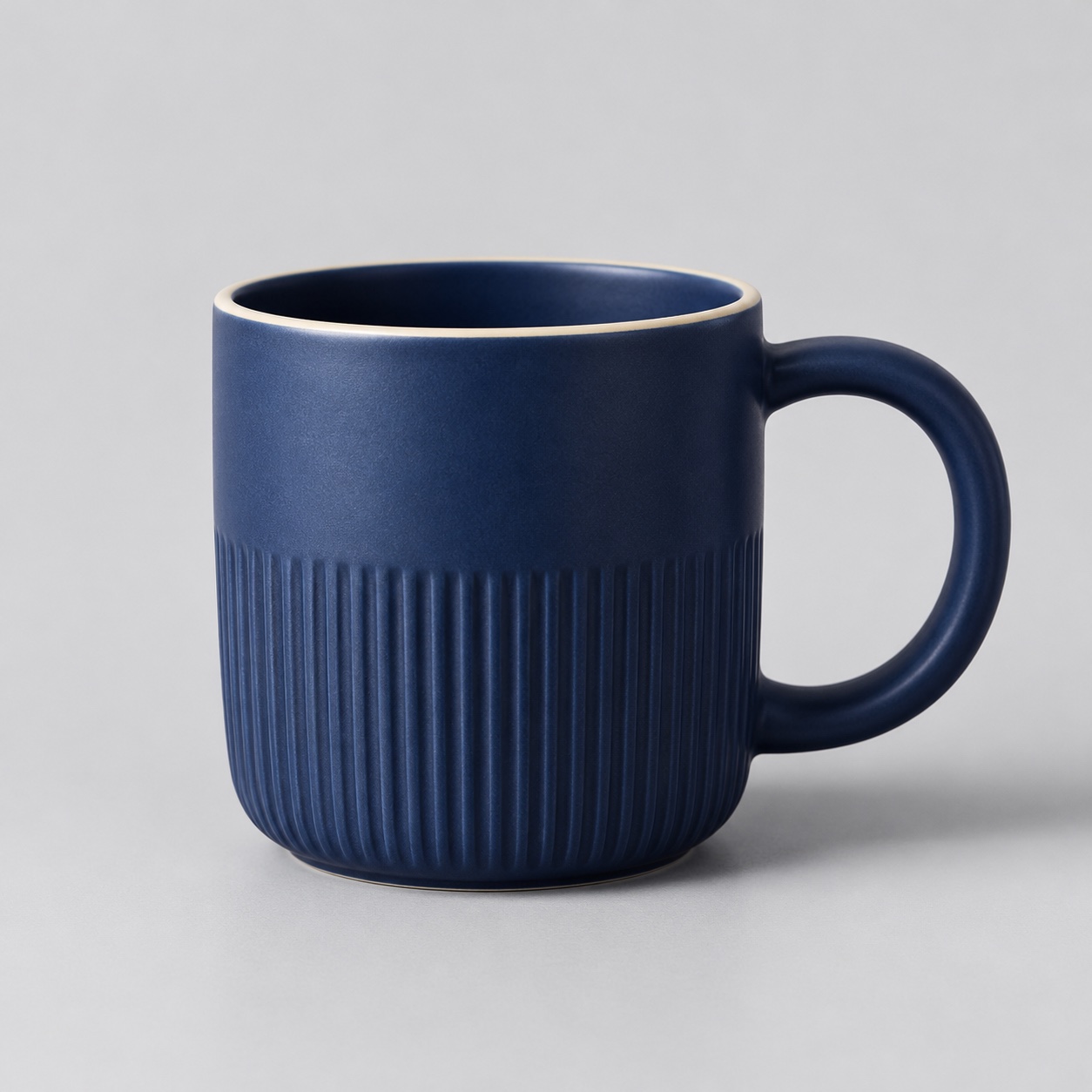
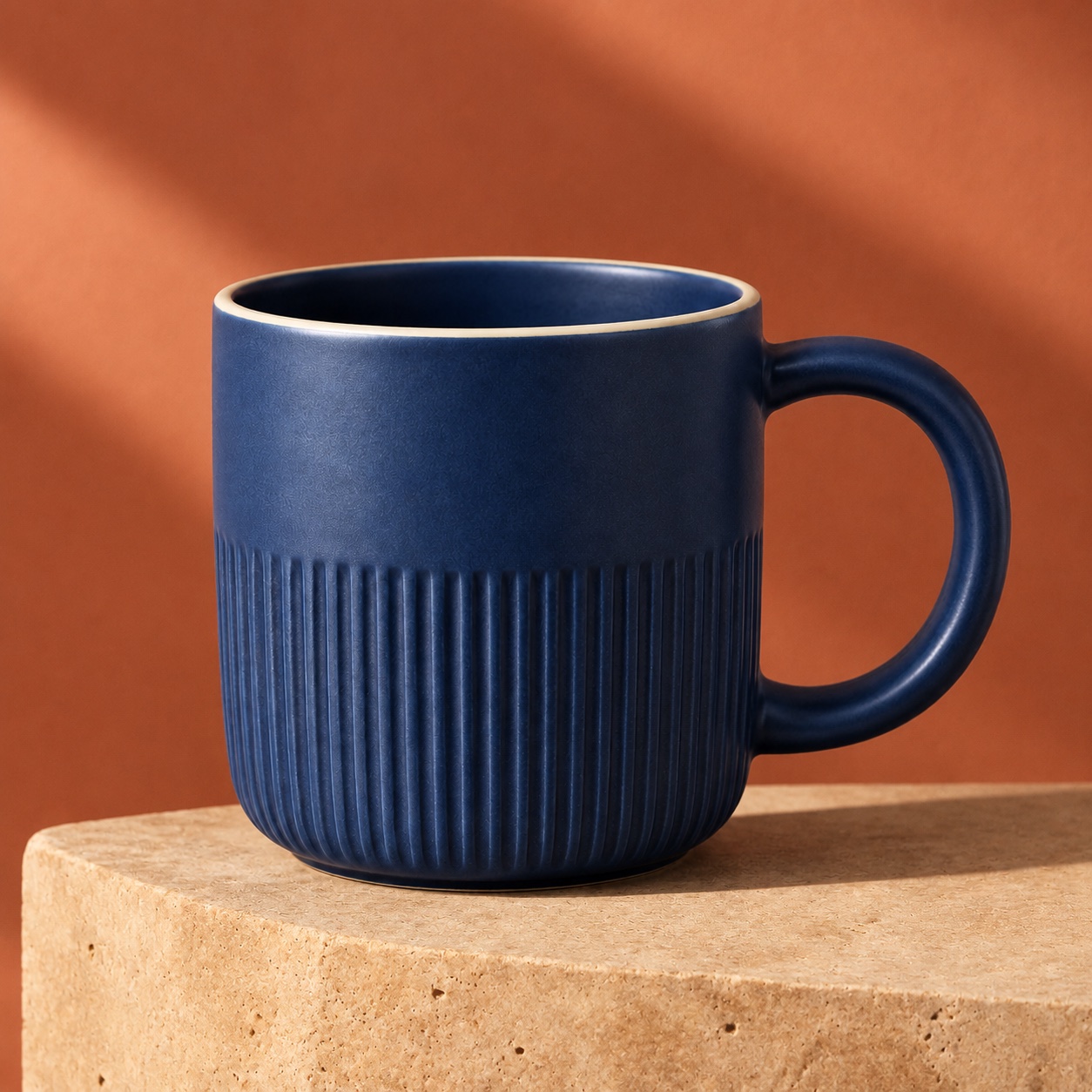
The blue mug keeps its ribbed body, cream rim and round handle. The edit moves it onto a stone plinth with warm side light.

List the details that must stay, then describe the new background, lighting and camera angle.

View prompt

Use the uploaded mug as the reference. Keep the cobalt glaze, vertical ribbing, thin cream rim and right-hand round handle. Place the same mug on a warm travertine plinth against a muted terracotta studio background. Add a long soft diagonal shadow and warm side light. Keep the same crop and camera angle. No text, logos or extra objects.
Build an image around a headline — GPT-Image-2.6 result
GPT-Image-2.6 result · 1K · 2:3

Posters and graphics

Build an image around a headline

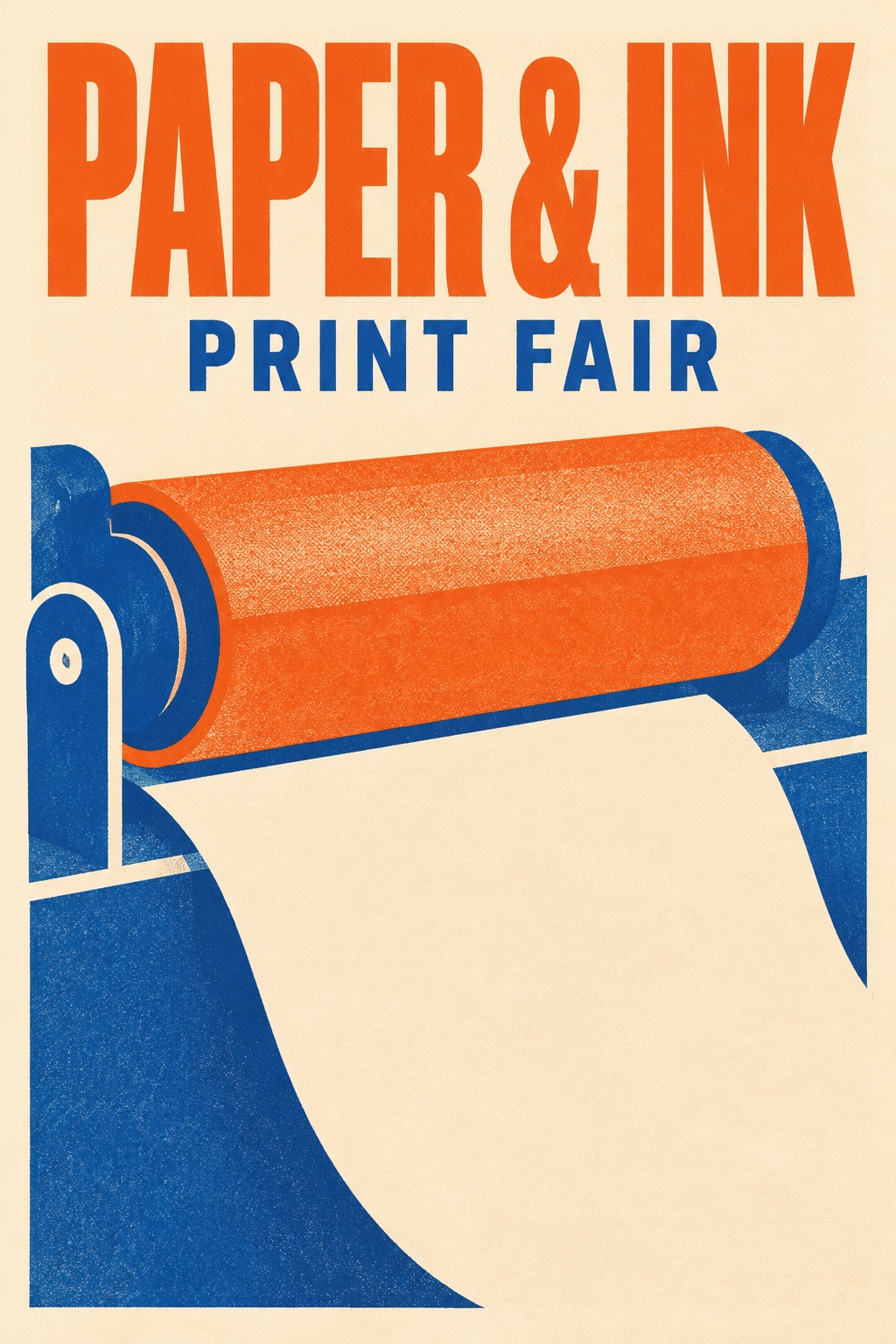
“PAPER & INK” and “PRINT FAIR” are part of the artwork, with room around the headline and a clear hierarchy.

Put the exact words in quotes. Specify placement and check spelling in the generated image.

View prompt

Create a polished portrait-format risograph event poster for a fictional independent print fair. The only typography is exactly “PAPER & INK” in a bold tall uppercase headline across the top and “PRINT FAIR” in a smaller uppercase line below. Large playful shapes suggest a print roller and a sheet of paper. Burnt orange, royal blue and warm cream. Restrained Swiss grid, generous margins, clean readable lettering. No other text or logos.

Carry a character into a new scene — Reference
Reference
Carry a character into a new scene — GPT-Image-2.6 result
GPT-Image-2.6 result · 1K · 1:1

Characters and illustration

Carry a character into a new scene

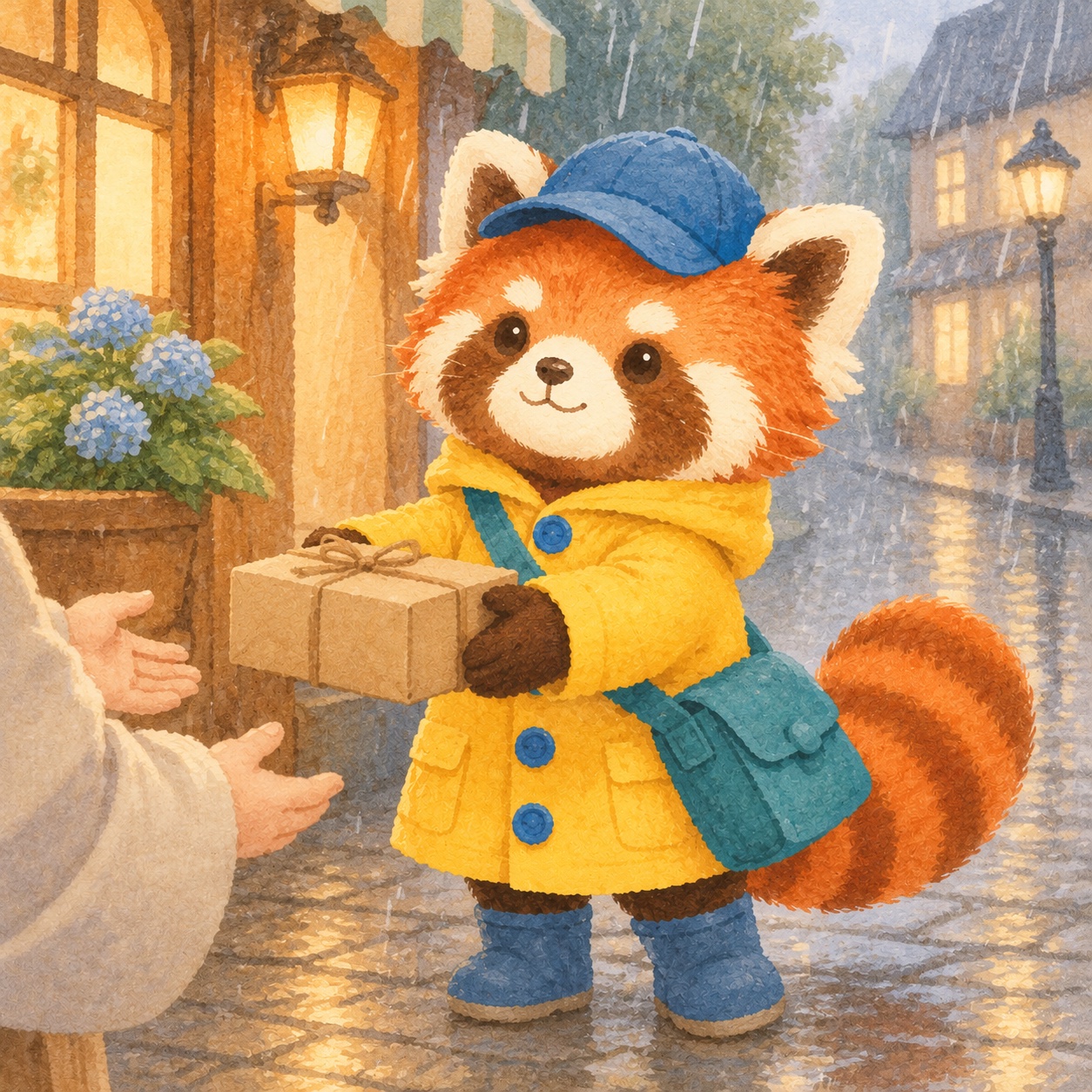
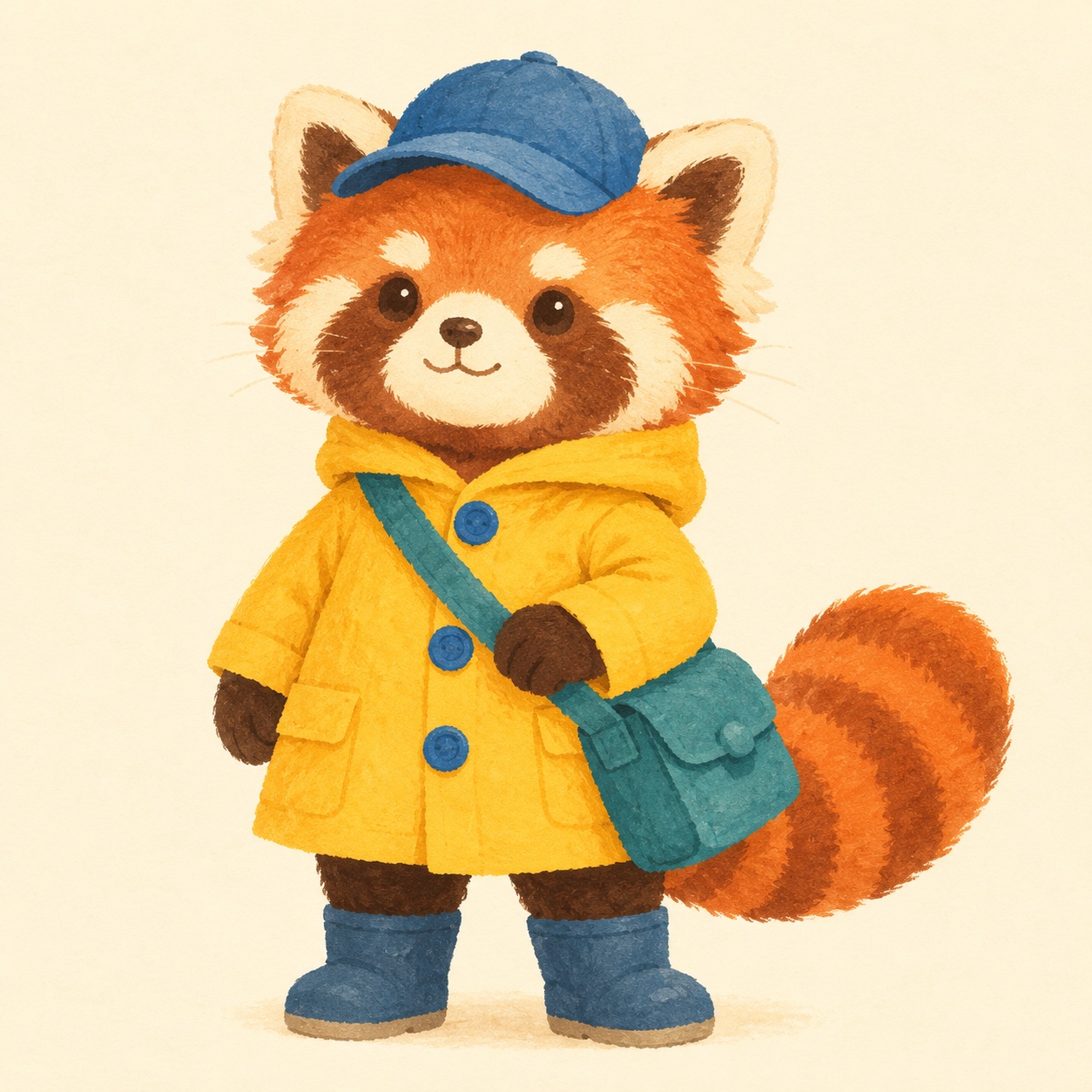
The red panda courier moves from a character sheet to a rainy street while keeping the yellow coat, blue cap and striped tail.

Attach the reference and call out the markings, outfit and accessories to preserve.

View prompt

Create a new picture-book scene with the exact red panda courier from the reference. Preserve the red panda’s face markings, the yellow raincoat and three blue buttons, teal satchel, blue cap and striped tail. Show the courier on a rainy cobbled street handing a small parcel to an off-camera customer. Soft gouache, simple rounded forms, warm window light. No text. Square canvas.

How to write the brief

  1. Step 01

    Name the deliverable

    Say whether you want a product shot, a poster or a scene. Set the crop, composition and lighting.

  2. Step 02

    Specify what stays

    For an edit, upload the source image and separate the change from the details you want to keep.

  3. Step 03

    Inspect the result

    Check lettering, labels and small details at full size before exporting. Refine one instruction at a time.

GPT-Image-2.6 FAQ

Can I edit an existing image?
Yes. Upload one image and describe what should change. Explicitly name details that should remain, such as a logo, pose or product shape.
How much does it cost and what size can I create?
FrameFlowLab offers 1K still images at 1 credit per image. Choose square, portrait or landscape, or use Auto with a reference image.
Does this integration export GIF or SVG?
The FrameFlowLab workflow on this page generates still images. GIF, SVG and annotation tools are outside this integration.

Create with GPT-Image-2.6

Design a poster with a readable headline, move a product into a new setting, or bring the same character into a new scene. Start from a prompt or an image.

Create with GPT-Image-2.6