Event posters
Put one short headline above a clear focal subject.
Open the creation workspaceNano Banana 2.1 · Actual generated examples
Build text into a poster, direct a precise composition, or take the same product or person into a new scene. See real outputs before choosing your workflow.
Text to image and one-image reference editing · 1K / 2K / 4K · Credits shown before generation
What would you like to create?
Find your starting point
Choose a useful direction, then adapt the example to your own brief.
Put one short headline above a clear focal subject.
Open the creation workspaceLeave space for copy and keep important objects inside the crop.
Open the creation workspaceUse a small palette and one visual metaphor to explain an article.
Open the creation workspaceSpecify object count, left/right placement, empty space and lighting together. Useful for product arrangements and layouts with clear constraints; the three-object example below makes those instructions easy to check.
Specify a short headline, its language and its place in a poster. Useful for event artwork and cover drafts; review every character before publishing.
Try a different background, outfit or lighting around an existing product or person. Useful for campaign variations and portrait concepts. This studio accepts one reference per request; check shape, color and facial details.
These images were generated through the Nano Banana 2.1 integration on this site. They are individual examples, not fixed-result promises. The reference product and person are AI-created. Open an image to inspect its original size. “Try this prompt” restores the model, format, resolution and relevant reference; it does not submit or spend credits automatically.
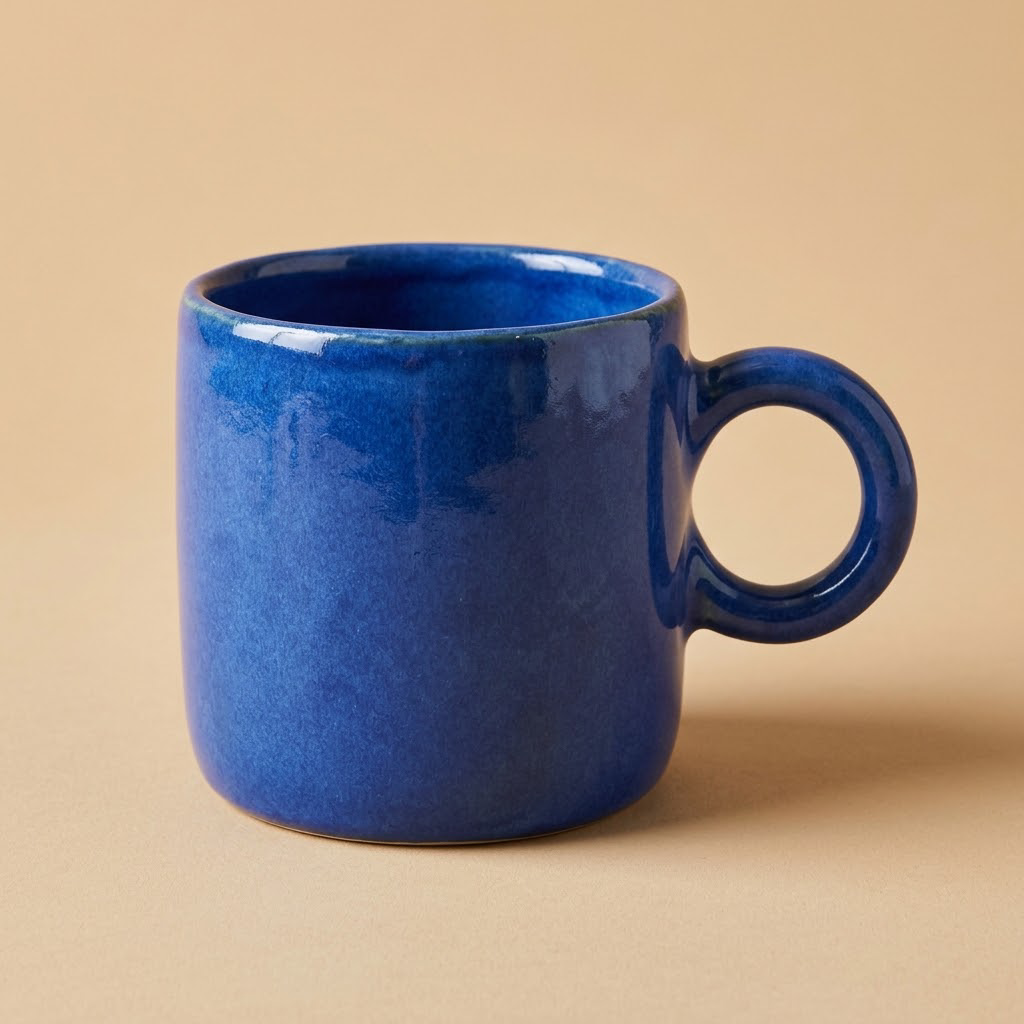
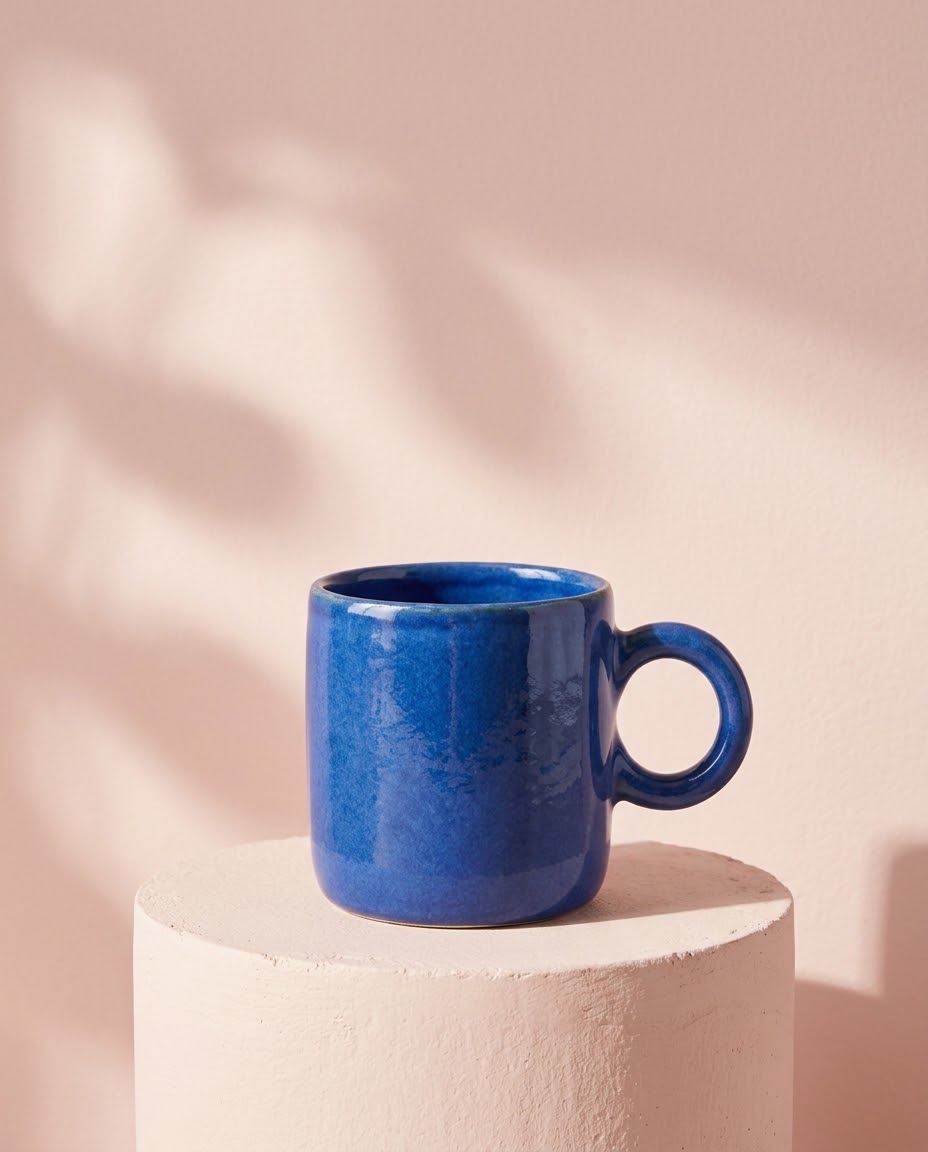
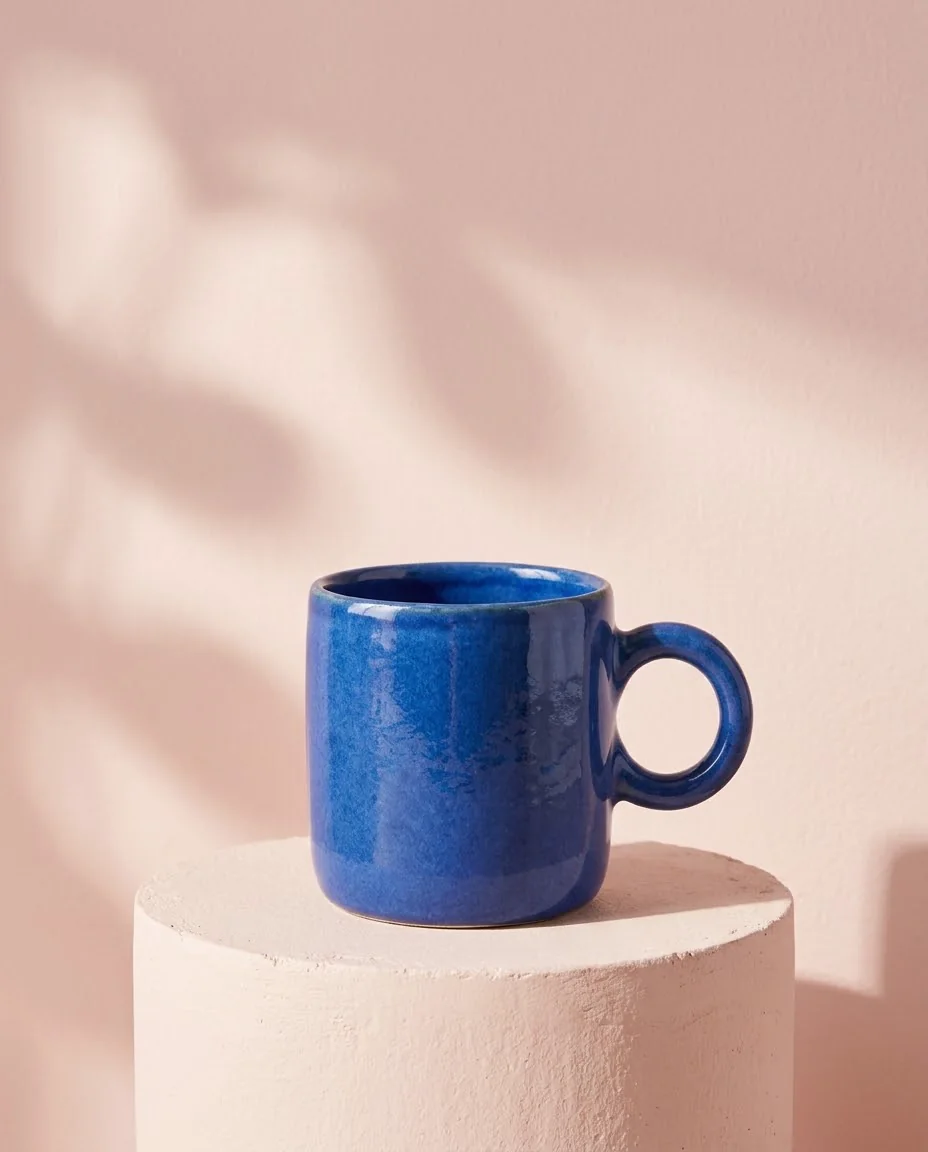
Product listings · Campaign visuals
Start from the same blue ceramic mug and request a pink pedestal, soft side lighting and empty space above the product for a fresh advertising scene.
Compare body, rim, handle and glaze against the reference. Useful for exploring a direction; important product details still need review.
Use the reference product photo. Keep the same cobalt blue ceramic mug, its cylindrical body, handmade rim, thick round handle on the right, glaze color and camera angle. Change the setting into a polished editorial product campaign: a pale blush-pink plaster pedestal in front of a soft pink background, warm side lighting, a realistic soft cast shadow, a few restrained abstract soft-light shapes on the BACKGROUND only. Keep the mug fully visible, centered low in the composition with clean empty space above it. No added words, no logo, no extra mug, no changes to the mug's design. Photorealistic advertising photograph, portrait 4:5.
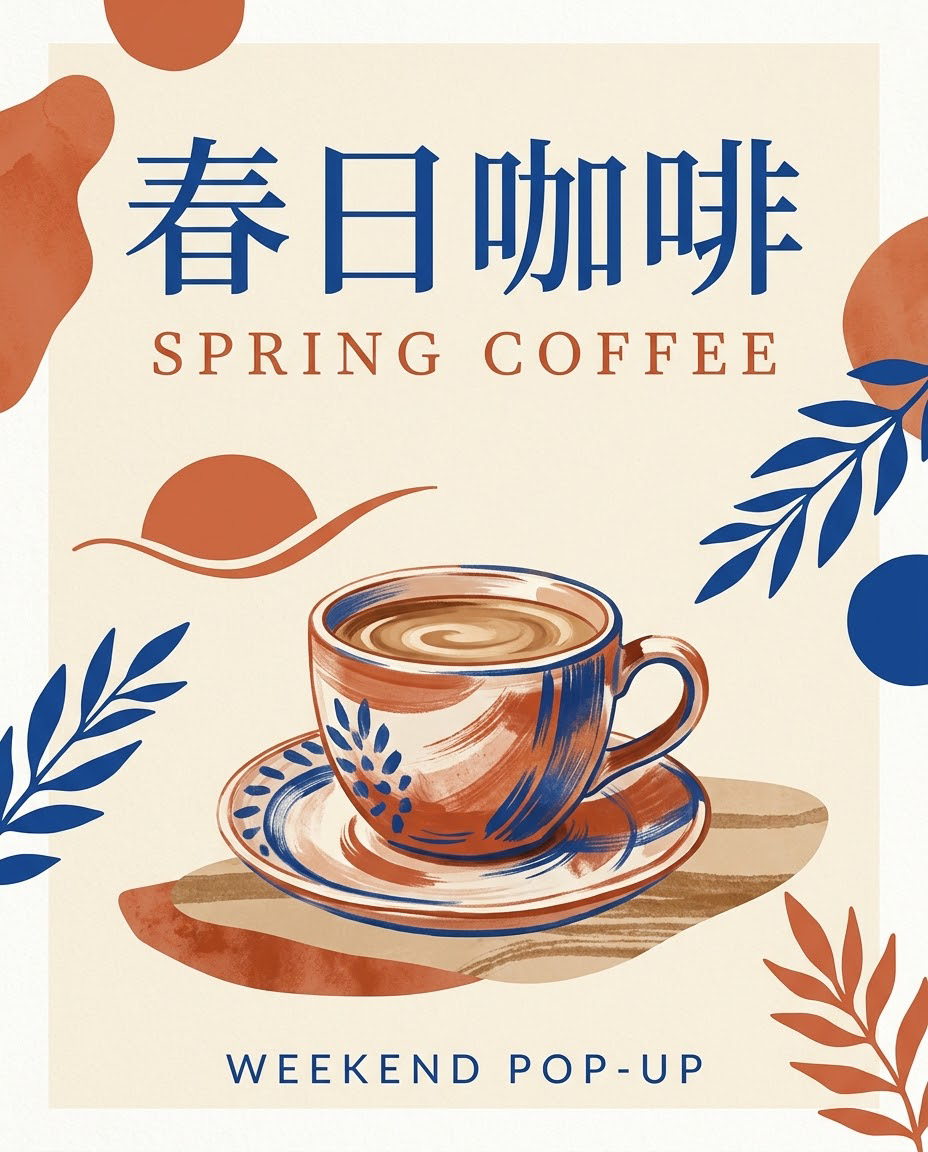
Event posters · Social covers
Specify “春日咖啡”, “SPRING COFFEE” and “WEEKEND POP-UP”, together with the type hierarchy, colors and central illustration.
This example uses short copy. Longer passages, names and small lettering need closer inspection; it does not replace final typesetting checks.
Design a finished modern coffee pop-up event poster in portrait 4:5. Warm cream background, terracotta and cobalt blue graphic accents, a beautifully drawn ceramic coffee cup in the lower center, refined editorial typography and plenty of breathing room. Render exactly these three pieces of text, clearly and legibly: large Chinese headline at the top: 春日咖啡; English subtitle immediately below: SPRING COFFEE; smaller footer at the bottom: WEEKEND POP-UP. All three lines must be correctly spelled with no extra letters or extra text. Elegant print-poster layout, consistent margins, strong visual hierarchy.
Portrait series · Editorial concepts
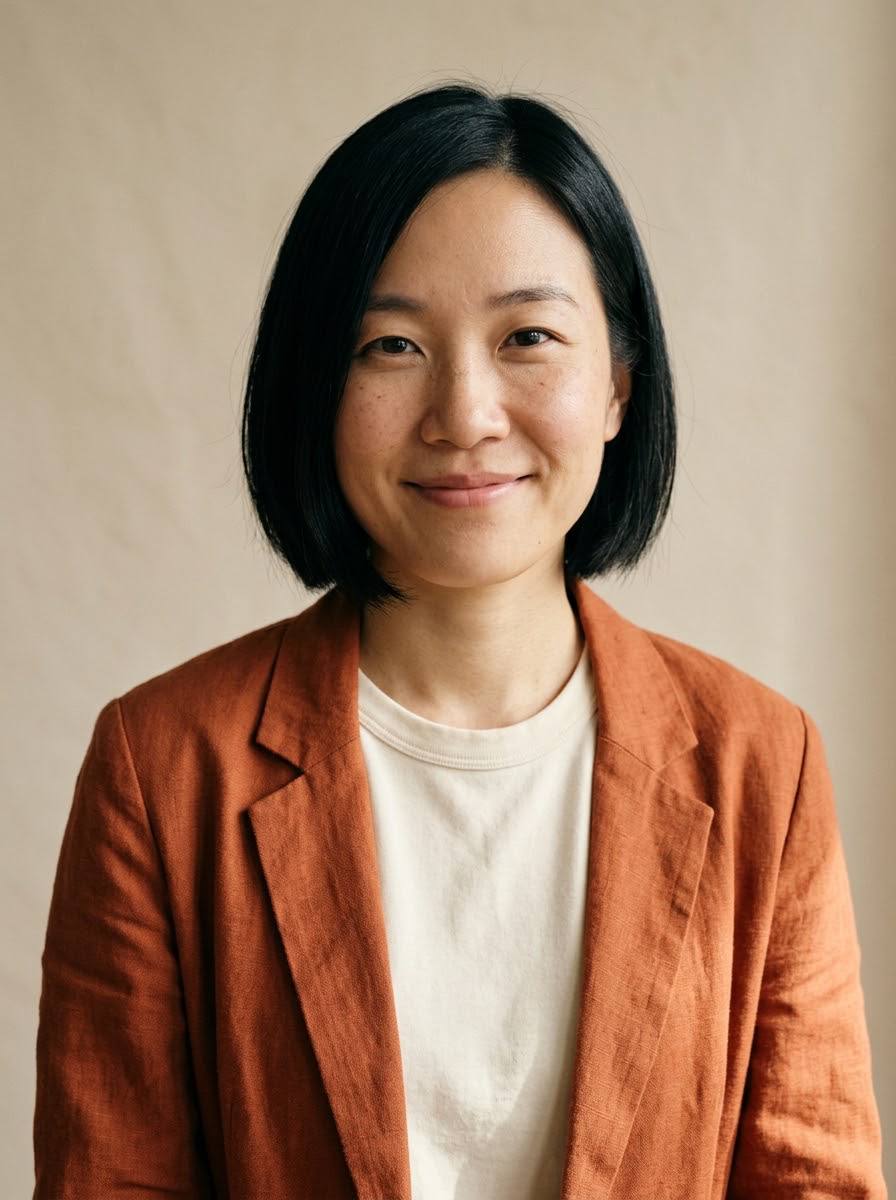
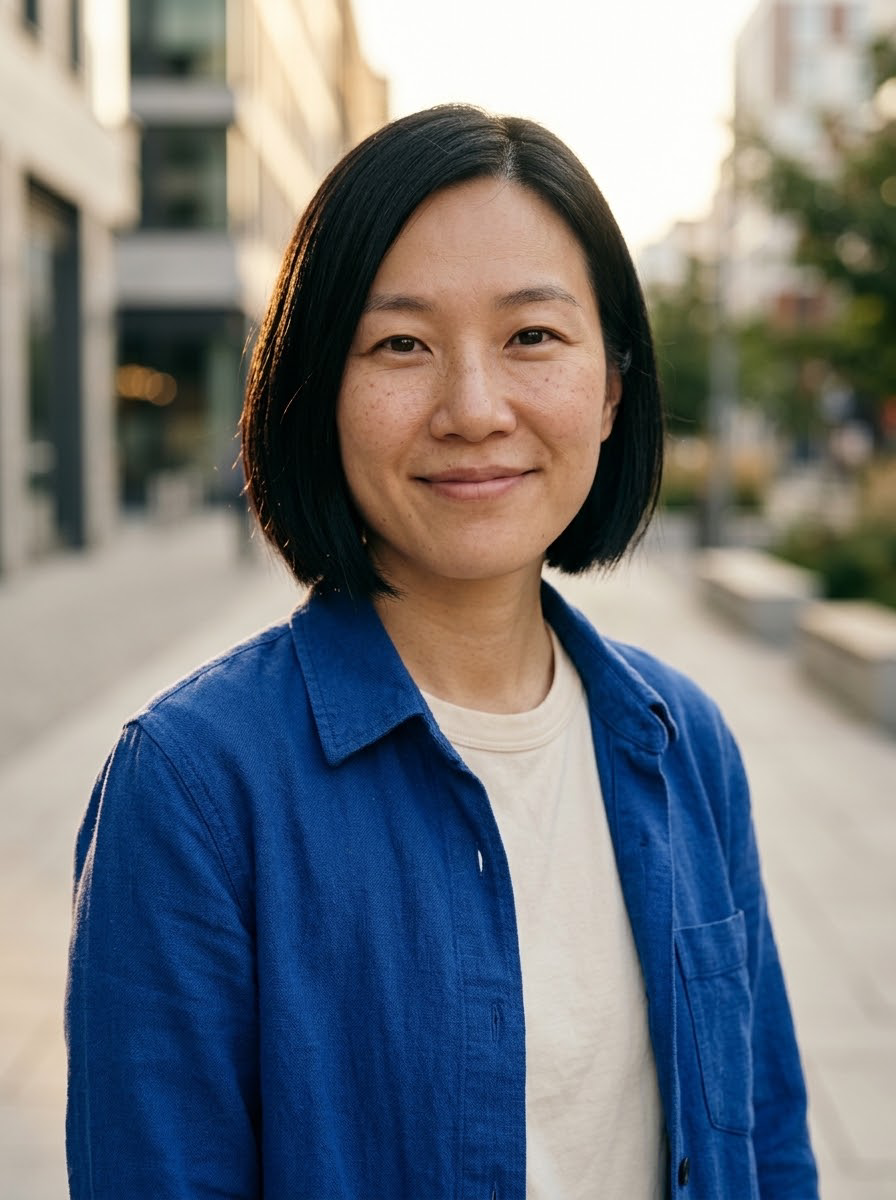
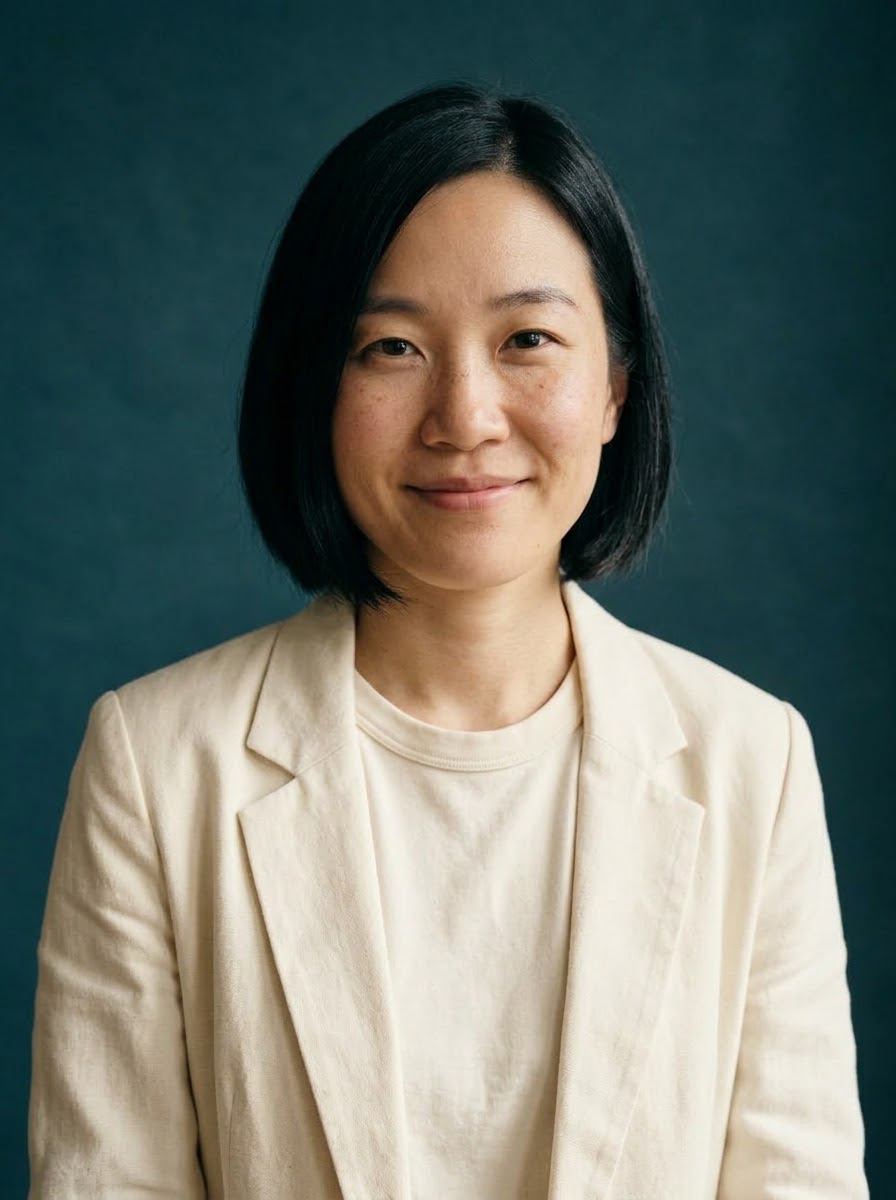
Use the same fictional portrait to explore a sunset city scene and a deep-teal studio setting. Change clothing and light while asking to retain the main face and hairstyle features.
Each result is a separate generation from the same reference. Likeness and details can change.
Use the uploaded portrait as the identity reference. Keep the same adult woman's facial features, short black bob hairstyle, side part, brown eyes, freckles and natural smile. Put her outdoors on a quiet modern city street at golden hour, wearing a cobalt-blue overshirt over a cream shirt instead of the orange jacket. Chest-up editorial portrait, natural candid pose, softly blurred architectural background, realistic warm rim light and skin texture. One person only. No words, no brand logos, no smoothing or exaggerated beauty retouching. Portrait 3:4.
Studio scene
Use the uploaded portrait as the identity reference. Keep the same adult woman's facial features, short black bob, side part, brown eyes, freckles and recognizable expression. Change her clothing to a simple ivory blazer over a neutral shirt. Place her against a deep teal studio backdrop with a soft side light and a subtle edge light. Chest-up, relaxed confident expression, polished but natural editorial photography, visible natural skin texture. One person only, no words, no logos, no drastic facial reshaping. Portrait 3:4.
Presentation illustrations · Constrained layouts
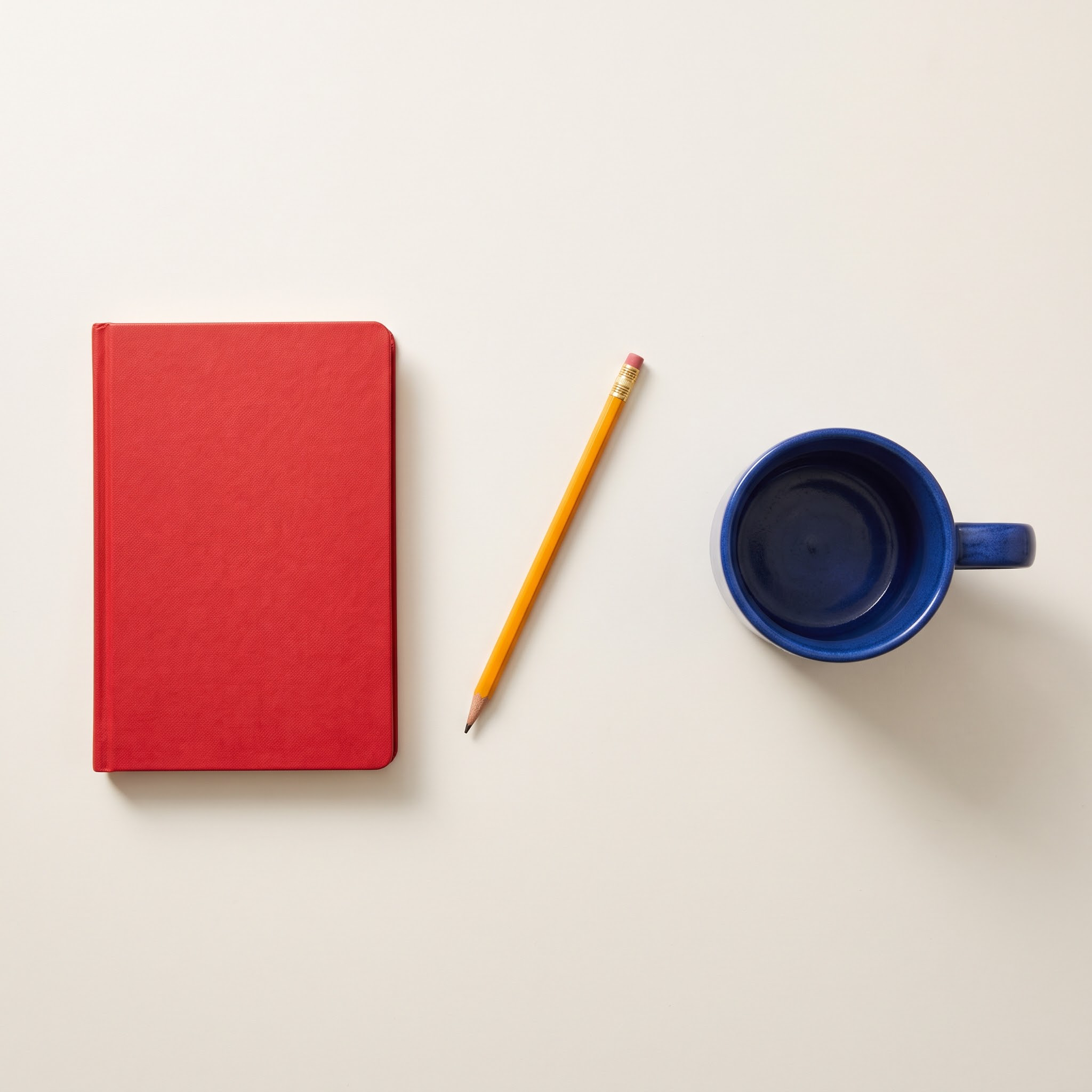
Request exactly three objects: a red notebook on the left, one diagonal yellow pencil in the center and a blue mug on the right, with no overlap and even spacing.
This example uses 2K. Explicit constraints make review easier; counts and spatial relationships can still be wrong.
An overhead flat-lay photograph on a plain warm off-white desk, square composition. Exactly THREE separate objects, with no other objects: one closed red notebook placed vertically in the LEFT third; one single yellow pencil placed diagonally in the CENTER, running from lower-left to upper-right; one cobalt blue ceramic coffee mug in the RIGHT third with its handle pointing right. No overlap between the three objects. Equal generous spacing. Soft morning light from upper-left, gentle realistic shadows, sharp paper, wood and ceramic textures. No lettering, no logos, no hands, no plants. Keep the whole arrangement centered with equal empty margins.
Website heroes · Wide advertisements
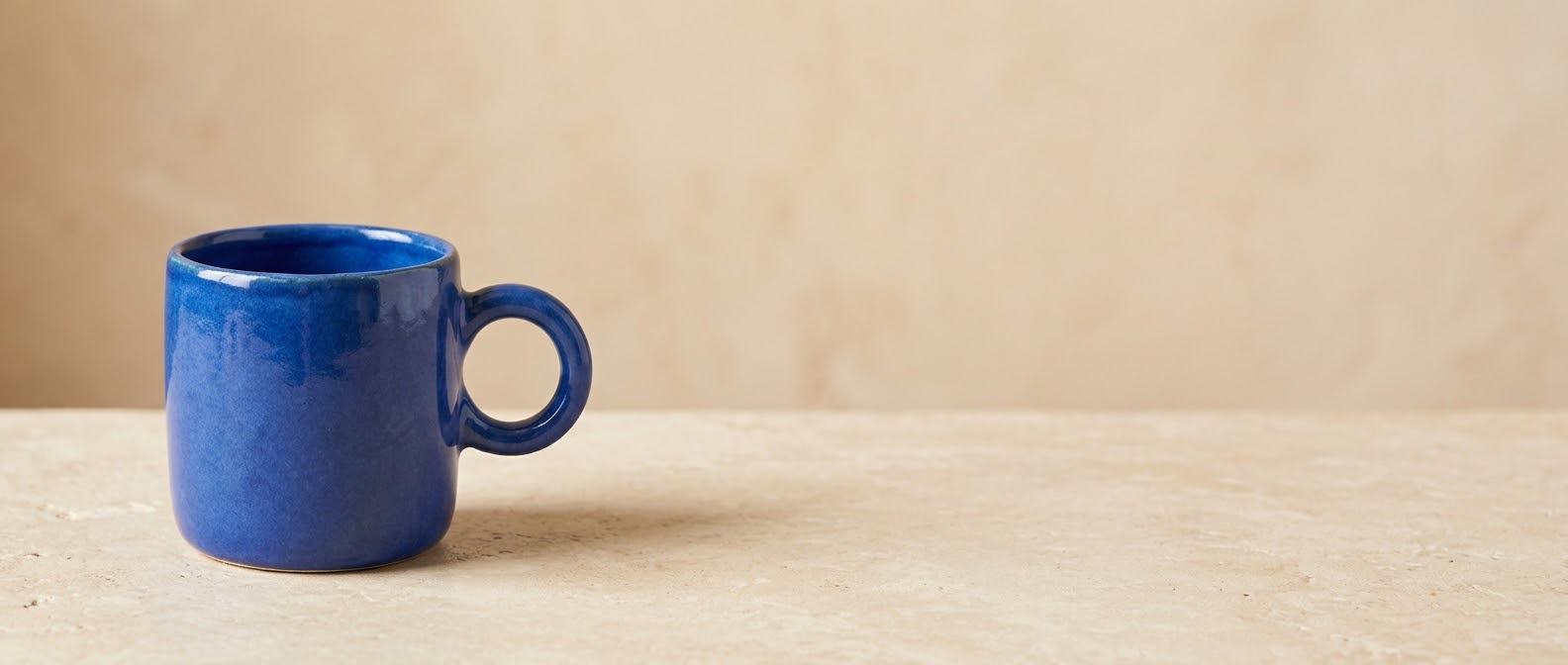
Generate a 21:9 scene from the product reference, placing the mug in the left quarter and keeping most of the right side empty for a headline and button added later.
The example uses 1K and demonstrates composition. Choose 2K or 4K for a larger source file; more pixels do not automatically fix subject details.
Create an ultrawide 21:9 website hero banner using the reference photo of the cobalt blue ceramic mug. Preserve the mug's blue glaze, cylindrical shape, thick round handle on the right and three-quarter camera angle. Put the single mug in the LEFT quarter of the frame, fully visible, on a warm pale stone surface. The RIGHT two-thirds must be clean, empty, softly lit warm beige space suitable for adding a headline later. Refined premium product photography, natural window light and believable shadow, no text, no logos, no extra objects, no duplicate mug, no decorative clutter. The mug is the only product.
Step 01
Describe the subject, its position and the destination of the image.
Step 02
Choose a style and ratio; start with a small output to check the layout.
Step 03
Read any generated lettering, inspect details and download a useful version.
Keep a clear subject and a single goal. The example prompt is a starting point you can edit.
Subject + purpose + composition + light or motion + what to preserve
Open the creation workspaceName objects and positions: one blue cup in the lower third is clearer than a beautiful picture.
For a poster, quote the exact short title and request empty space around it.
Change one variable per attempt so you can judge lighting, color or composition.
Review current options and credits in the workspace before submitting.
| Setting | Available options | How to choose |
|---|---|---|
| Input modes | Text to image / One image reference | Review current options and credits in the workspace before submitting. |
| Output size | 1K / 2K / 4K | Review current options and credits in the workspace before submitting. |
| Aspect ratios | auto / 1:1 / 16:9 / 9:16 / 4:3 / 3:4 / 3:2 / 2:3 / 4:5 / 5:4 / 21:9 / 1:4 / 4:1 / 1:8 / 8:1 | Review current options and credits in the workspace before submitting. |
| Prompt limit | 4000 characters | Review current options and credits in the workspace before submitting. |
Set the ratio and available output options in the workspace. Inspect the actual result before export. Choose only ratios supported by the selected model. A new ratio can reframe or regenerate the image.
| Format | Suitable use | Practical advice |
|---|---|---|
| 1:1 | Product posts and compact social layouts | Keep the main subject central and leave a comfortable margin. |
| 2:3 / 3:4 / 9:16 | Portraits, vertical posters and mobile feeds | Plan headroom and text placement; avoid cutting important details. |
| 3:2 / 16:9 | Website covers, concept art and widescreen video | Reserve side space and keep the focal subject readable at small sizes. |
Build the next part of your project using the matching workflow.
Create lifestyle product images, white-background drafts and campaign visuals from one product reference. Explore actual outputs and adapt the scene to your brief.
Upload a product photo or portrait and explore new backgrounds, outfits and lighting. Compare the reference with actual edits, then apply the same approach to your own image.
Create adult fictional portraits and explore everyday scenes from text or one portrait reference. Start with distinctive features, a visual style and a simple scene.
Turn a product photo, portrait or concept image into a short clip. Direct restrained subject motion and camera movement for product showcases and social drafts.
Yes. Upload a reference image in the image studio and describe what to change and what to keep. The result is a generated edit, so inspect important details instead of assuming exact pixel preservation.
FrameFlowLab offers 1K, 2K and 4K for this model. Choose the size in the workspace before generating. Available output dimensions also depend on the selected aspect ratio.
Yes. The resolution-based prices appear in the section above and beside the generate button. Reference-image edits and text-to-image requests follow the same pricing.
You can open the workspace and prepare a prompt first. Sign in when you are ready to generate. The current new-user bonus is controlled by the site’s registration settings.
The task shows a failed status and its charged credits are refunded automatically. Read the error, revise the prompt or input image if needed, and then decide whether to retry.
Open your creation history to view the result and download it. A completed image remains tied to your account; another user cannot download it through your history link.
Yes. The examples were generated using this site’s Nano Banana 2.1 integration and include the reference, result, actual resolution and prompt. Reference products and people are AI-created, and the outputs were visually reviewed.
Yes. Replace the reference in the workspace before submitting. Use an image you can use for the project; one image is supported by the current image-editing workflow.
You can open the workspace in a mobile browser. Prepare the original image first and review the result at its full size before publishing.
After a successful generation, open the result or creation history to save it. Inspect the original file and add exact text or finishing edits where needed.
Build text into a poster, direct a precise composition, or take the same product or person into a new scene. See real outputs before choosing your workflow.
Create with Nano Banana 2.1


